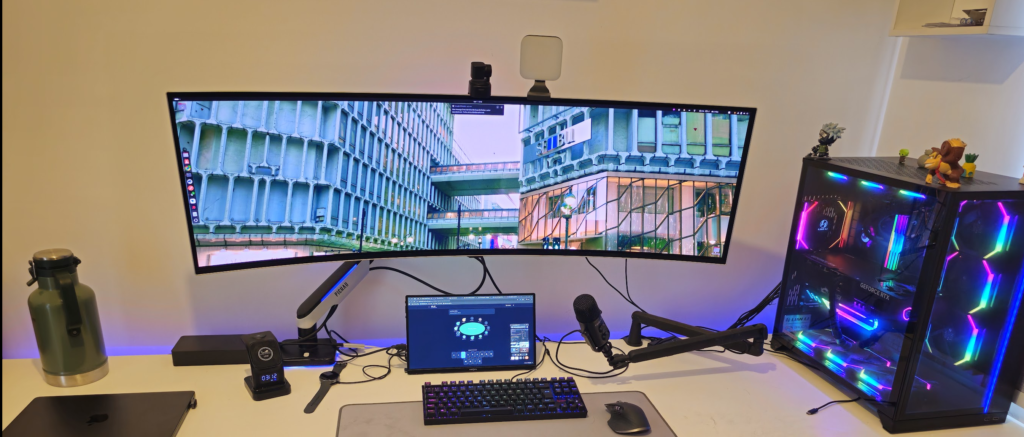
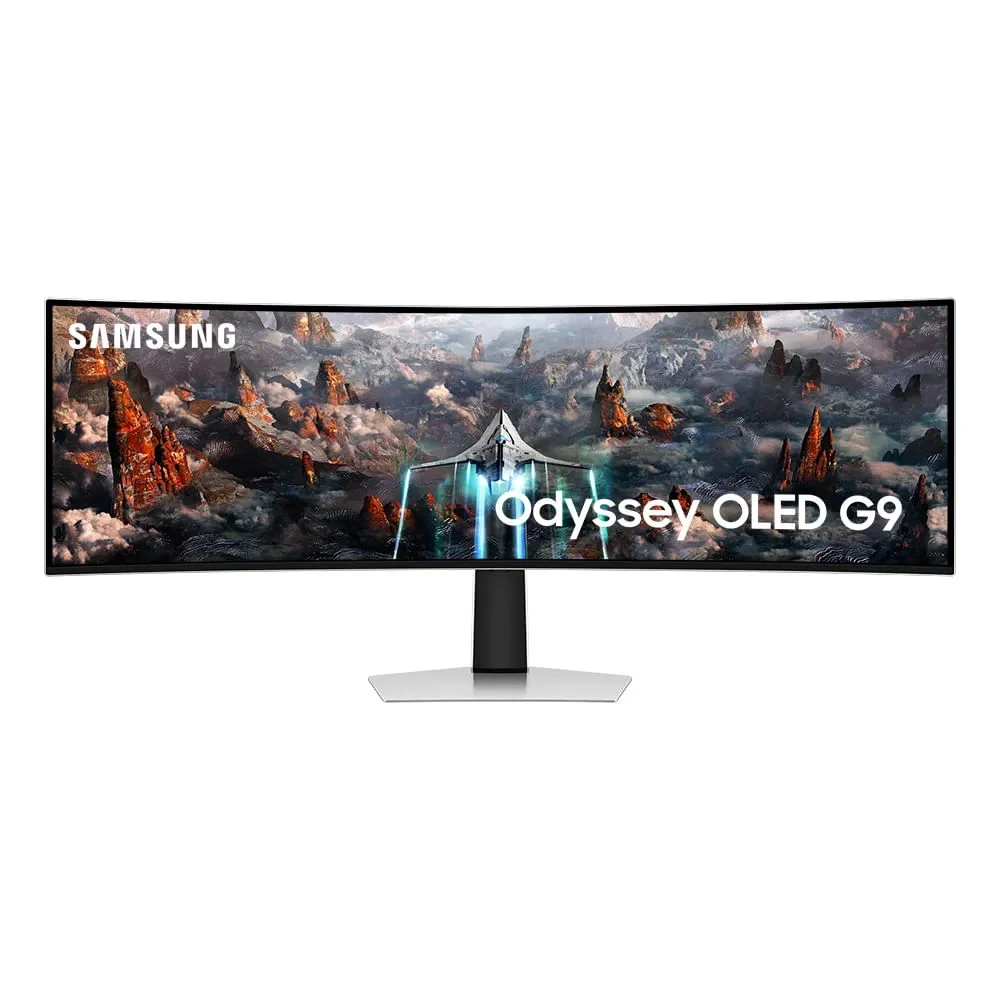
Today, we are diving deep into a piece of hardware that is as magnificent: the Samsung Odyssey OLED G9. After nearly a year as my main monitor, I have a lot to share about how this 49-inch beast transformed my workflow and my gaming sessions.
I remember the day I took this monster out of the box. Upon turning it on, the first thing that hits you is the contrast. If you have never used an OLED panel for daily use, seeing pure black pixels next to intense highlights reconfigures your brain. Visually, it is a masterpiece ready to use.
However, the adaptation was not instantaneous. Coming from a 34-inch ultrawide, the 32:9 aspect ratio plays tricks on the eyes. Because it is incredibly wide, it initially feels strangely “thin” or flattened. It took about two weeks for my brain to fully adjust to the new dimensions, but after that, there is no turning back.
Key Monitor Specifications
| Feature | Details |
| Screen Size | 49 Inches |
| Panel Type | OLED |
| Aspect Ratio | 32:9 (Super Ultrawide) |
| Resolution | 5120 x 1440 |
| Refresh Rate | 240Hz |
| Response Time | 0.03ms (GtG) |
The Hardware Awakening: The GPU’s Importance
When I bought the G9, my setup was running an RTX 3060. Although it is a capable card, pushing 5120×1440 at 240Hz on it is like putting bicycle tires on a Ferrari. The colors were there, but the raw horsepower to feed those pixels simply did not exist.
Everything changed when I upgraded to an RTX 5090. With this card, the “training wheels” were removed. Running Cyberpunk 2077 with native Path Tracing on an OLED panel is an experience that YouTube videos cannot convey due to compression. The fluidity of 240Hz with G-Sync makes every movement smooth as silk, without any sign of ghosting.Productivity and the Code “Sanctuary”
As a developer, I spend over eight hours a day in front of the screen. The Odyssey G9 surprised me with its eye comfort. The native panel is so comfortable that I rarely need to activate the Eye Saver mode.
My workflow strategy evolved:
- Total Focus: Instead of cluttering the screen with multiple small windows (like Slack and WhatsApp), I started maximizing the code editor (Cursor) across the entire width.
- Immersion: Having multiple files and terminals open side-by-side, without bezels in the way, brings a feeling of supreme focus and creative omnipotence.
- Second Screen: To maintain the G9’s “purity,” I added a second, smaller, and cheaper monitor just for distractions like emails and messages.
Important Warnings: What You Need to Know
It’s not all sunshine and roses. After 10 months, here are the areas of concern:
- Be Careful with Windows Audio: Never enable the native Windows audio equalization for the monitor’s built-in speakers. This can cause permanent hardware damage, resulting in distorted sound.
- Lighting Control: Because it is OLED, intense brightness is not its strong suit. Avoid placing the monitor directly facing very bright windows so you don’t lose image quality.
- Burn-in: After 10 months of heavy use with static elements (code and spreadsheets), I have not detected any sign of burn-in. Samsung’s automatic pixel refresh system has proven effective.
- The Sleep Bug: The monitor sometimes fails to wake up if the PC is turned on too long after the monitor. Furthermore, to see the GRUB menu in dual-boot systems, I had to swap the original cable for a high-quality DisplayPort 2.1 cable to ensure a faster “handshake”.
The Verdict: Is It Worth the Investment?
Is it worth paying $1,000 (or the equivalent value in Brazil) for this monitor? For me, the answer is an absolute yes. It is a total immersion experience that elevates work and leisure to a premium level.
However, be rational: do not skimp on the rest of the PC. To unlock the true potential of this monitor, you need a robust GPU. If you have the desk space and the hardware to accompany it, the Odyssey OLED G9 is the closest you will get to feeling like the future has arrived at your setup.
What are your thoughts on OLED technology for productivity? Have you experienced burn-in issues, or are you considering migrating to 32:9? Leave your comment below!